Note:
This topic has been translated from a Chinese forum by GPT and might contain errors.Original topic: 强制下线Down节点,告警仍然报出来,如何消除
 |
username: 扬仔_tidb
|
username: 扬仔_tidb
[TiDB Usage Environment] Production Environment
[TiDB Version] v6.5
[Reproduction Path] Operations performed that led to the issue
[Encountered Issue: Symptoms and Impact]
[Resource Configuration]

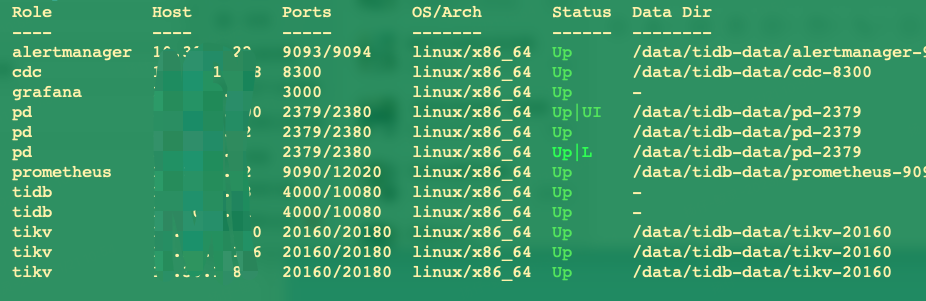
There was a CDC node previously deployed, and the machine has been released.
Executed command to force offline: tiup cluster xxx scale-in ip:8300 --force
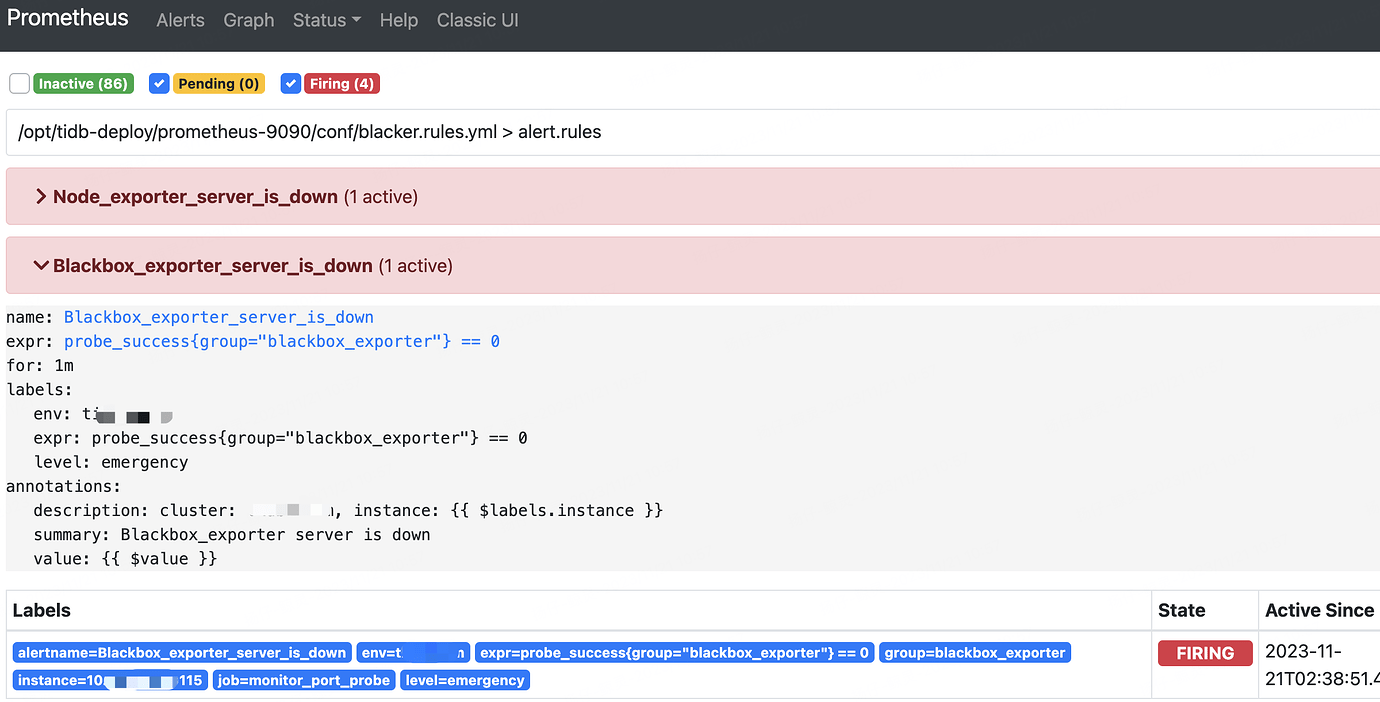
Now the cluster is in this state, but Prometheus still alerts about Ping and node loss for this machine. How can I eliminate this alert?
 |
username:
|
username:  |
username:
|
username:  |
username:
|
username:  |
username:
|
username:  |
username:
|
username:  |
username:
|
username:  |
username:
|
username: